Top 3 Best Document Management Software for Accountants
Published August 5, 2024
On this page
- Key Takeaways
- Why Accountants Need Document Management Software
- Things to Consider When Selecting Document Management Software for Accounting
- Top Document ManagementSoftware for Accountants
- Case Studies of Successful Implementation
- How to Effectively Implement Document Management Software in Your Practice
- Frequently Asked Questions
- Conclusion
Do you ever feel like you’re spending more time hunting down invoices than crunching numbers? For accountants, efficient document management is the cornerstone of a smooth workflow. Imagine a world where tax returns flow seamlessly through review, client files are organized with laser focus, and chasing down missing receipts becomes a thing of the past. This, my friends, is the power of a robust Accounting Document Management System (DMS).
The market offers a bewildering array of software solutions, but fear not! This article cuts through the noise to identify the best document management software for accountants. We’ll delve into the essential features that streamline your processes, boost collaboration, and free up precious time to focus on what matters most – providing financial expertise to your clients.
Key Takeaways
- Manually managing paper trails can be a nightmare for accounting firms, leading to wasted time, collaboration challenges, and data security risks.
- Accounting DMS streamlines workflows by offering features like centralized document storage, secure client portals, and automated tasks.
- When choosing a DMS, consider factors like ease of use, scalability, integration capabilities, and robust data security features.
- Top-rated DMS solutions for accountants include SuiteFiles, Docupace, SmartVault, FileCenter, and TaxDome.
- Successful implementation of a DMS can lead to increased efficiency, improved client service, and a competitive edge for your accounting practice.
Why Accountants Need Document Management Software
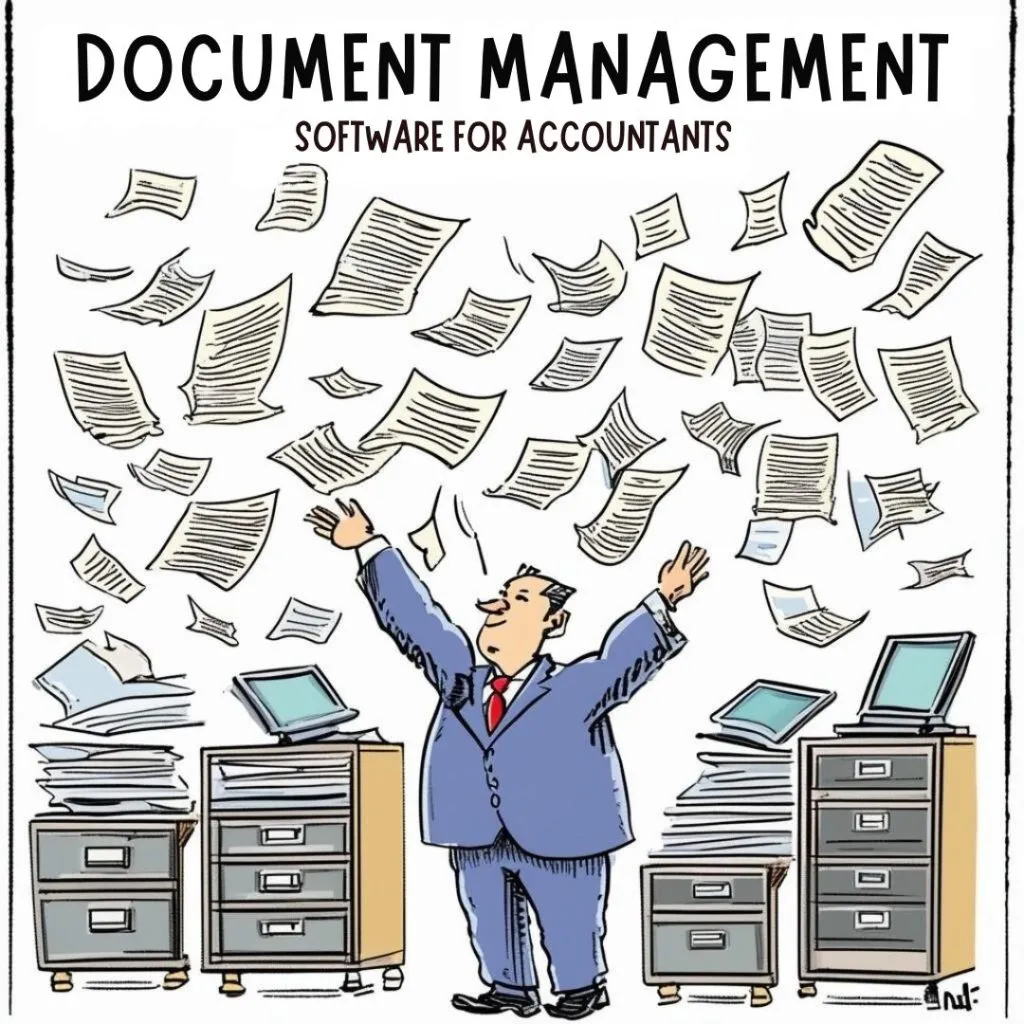
For accountants, battling mountains of paperwork is an occupational hazard. While the numbers themselves may be organized, the physical documents supporting them can quickly descend into chaos. Let’s face it, manually managing paper trails can be a nightmare, leading to:
Wasted Time on Document Retrieval
Remember that crucial tax document a client needs? Manually searching through filing cabinets or overflowing folders can eat into valuable billable hours. An effective DMS eliminates this time suck by providing a centralized platform for storing and searching all your financial documents. Imagine locating any client file with just a few clicks – that’s the power of document management at your fingertips.
Collaboration Challenges with Clients and Teams
Sharing documents securely with clients and collaborating with colleagues on complex projects can be a logistical hurdle. Email attachments have size limitations and version control issues, while paper-based handoffs create security risks and hinder real-time collaboration. Document management software offers secure client portals for easy file exchange and fosters seamless teamwork through features like shared workspaces and document annotation tools.
Compliance Concerns and Data Security Risks
Accounting firms are entrusted with a wealth of sensitive client information. Misplaced paper documents pose a significant security risk, while outdated filing systems can make adhering to data retention regulations a challenge. A robust DMS bolsters your data security with features like access controls, encryption, and automatic document retention policies. This ensures client information remains protected and readily available for audits or compliance purposes.
Inefficiency in Manual Process****es
Accounting workflows are often riddled with repetitive tasks like data entry and document routing. These manual processes are not only time-consuming but also prone to errors. The right document management software can automate these tasks, freeing you to focus on higher-level analysis and strategic client service. Imagine automating document workflows for tasks like tax return preparation or client onboarding – that’s the efficiency boost a DMS can provide.
Things to Consider When Selecting Document Management Software for Accounting
Choosing the right DMS is an investment in the future of your accounting practice. With a vast array of options available, it’s important to prioritize features that address your specific needs and streamline your workflows. Here are some key considerations to keep in mind:
Ease of Use and Intuitive Interface
Accounting software shouldn’t add another layer of complexity to your workday. Look for a DMS with an intuitive user interface that’s easy for everyone on your team to navigate, regardless of technical expertise. A user-friendly platform ensures seamless adoption and maximizes the software’s benefits across your practice.
Scalability to Accommodate Growth
Your firm’s needs may evolve over time. Choose a DMS that scales alongside your growth, allowing you to add users, storage capacity, and functionality as your client base expands. Look for solutions that offer flexible pricing plans to accommodate your current and future needs.
Seamless Integration with Existing Software
Fragmentation across different software applications can hinder your efficiency. Ensure the DMS you choose integrates seamlessly with your existing accounting software, practice management platform, and other essential tools. This eliminates the need for manual data entry and ensures a smooth flow of information across your entire tech stack.
Robust Data Security and Access Control****s
Client confidentiality is paramount. Select a document management system that prioritizes data security with features like 256-bit encryption, access controls, and audit trails. Look for solutions that comply with relevant data privacy regulations to ensure your client information remains secure and protected.
Streamlined Workflow****s and Automation Capabilities
Accounting workflows are often burdened by repetitive tasks. Invest in a DMS that offers automation features to streamline your processes. This could include automatic document routing, data extraction from scanned documents using Optical Character Recognition (OCR) technology, and pre-built workflow templates for common accounting tasks. By automating repetitive processes, you free up valuable time to focus on strategic client service.
Top Document ManagementSoftware for Accountants
With so many DMS vying for your attention, choosing the right one can feel overwhelming. To make the decision easy for you, we have created a breakdown of some of the top-rated software solutions specifically designed to meet the needs of accounting firms, based on independent reviews and industry recognition:
1. SuiteFiles
Intuitive Interface
Designed with ease of use in mind, SuiteFiles boasts a user-friendly interface that minimizes the learning curve for your team. This ensures everyone can leverage the software’s capabilities effectively.
Seamless Integration****s
Streamline your workflow by integrating SuiteFiles with popular accounting software like Xero and QuickBooks. This eliminates the need for data re-entry and fosters a centralized platform for all your financial data.
Secure Client Portal
Build trust and foster collaboration with a secure client portal. Clients can easily upload documents, review progress, and e-sign agreements – all within a secure online environment.
Benefits for Accountants
- Automated workflows and seamless integrations save you valuable time and minimize errors. SuiteFiles empowers you to focus on what matters most – providing strategic financial advice to your clients.
- The secure client portal streamlines communication and document exchange, fostering a more collaborative and transparent client relationship.
- Rest assured that your client’s sensitive data is protected with industry-standard encryption and access controls.
Why it’s a good fit for Accountants
SuiteFiles is a strong contender for accounting firms seeking a user-friendly DMS with robust features designed to streamline workflows, improve client collaboration, and prioritize data security.
2. Docupace
Automated Workflow****s
Automate repetitive tasks like document routing, data extraction, and client onboarding to free up your team’s time for higher-value activities.
Advanced Search Functionality
Quickly locate any document you need with Docupace’s powerful search capabilities. Find specific information by keyword, date range, or custom criteria.
Client Engagement Tools
Foster stronger client relationships with Docupace’s built-in client engagement tools. Send personalized communications, request documents electronically, and track client activity – all within the DMS platform.
Benefits for Accountants
- Automated workflows eliminate manual tasks and streamline processes, allowing you to serve your clients more effectively.
- Docupace’s powerful search functionality ensures you can locate any document quickly and easily, eliminating wasted time searching through filing cabinets.
- treamlined communication and collaboration tools help you build stronger relationships with your clients, fostering trust and loyalty.
Why it’s a good fit for Accountants
Docupace is a solid choice for accounting firms seeking a feature-rich DMS that automates workflows, offers robust search capabilities, and provides built-in tools to strengthen client relationships.
3. SmartVault
Secure File Sharing
Share documents securely with clients and colleagues using SmartVault’s robust permission controls. Ensure only authorized users have access to sensitive financial information.
Version Control
Never lose track of important document revisions with SmartVault’s version control feature. Easily access previous versions and revert to earlier drafts if needed.
Mobile App
Access your documents and collaborate with your team on the go with SmartVault’s mobile app. This ensures you can stay productive and provide exceptional client service from anywhere.
Benefits for Accountants
- SmartVault prioritizes data security with robust encryption and permission controls, giving you peace of mind that your client’s information is protected.
- Version control ensures everyone is working on the latest version of a document, fostering seamless collaboration within your team and with clients.
- The mobile app empowers you to access and manage documents from anywhere, allowing you to stay productive and responsive to client needs.
Why it’s a good fit for Accountants
SmartVault is a compelling option for accounting firms seeking a secure and user-friendly DMS with robust file sharing, version control, and mobile access features.
Case Studies of Successful Implementation
Seeing is believing! Let’s delve into real-world examples of how accounting firms have transformed their operations by implementing DMS:
Streamlined Workflow****s and Enhanced Client Service at Miller & Anderson, CPAs
Miller & Anderson, CPAs, a mid-sized firm with a growing client base, struggled with a paper-based filing system. Manual document retrieval was time-consuming, and collaboration on complex projects proved challenging. After implementing Docupace, a cloud-based DMS, they experienced a dramatic shift:
Automated workflow****s
Automation for tasks like tax return preparation and client onboarding freed up valuable staff time. Docupace boasts pre-built workflow templates that can be customized to fit the specific needs of the firm.
A secure client portal
It facilitated seamless document exchange and improved communication with clients. Docupace’s portal allows for secure file sharing, electronic signatures, and real-time communication features.
Real-time collaboration tool****s
This enabled staff to work together efficiently on complex projects, regardless of location. Docupace offers features like shared workspaces, document annotation tools, and task management capabilities to streamline collaboration.
The impact? Miller & Anderson reports a 20% increase in billable hours, a significant reduction in errors, and most importantly, happier clients who appreciate the improved efficiency and communication.
Source: Docupace Case Studies [invalid URL removed]
From Chaos to Control: John Smith, Solo Accountant, Embraces Efficiency
John Smith, a solo accountant based in Atlanta, Georgia, was drowning in a sea of paper. Misplaced documents and wasted time searching for information were hindering his productivity. By adopting SuiteFiles, a user-friendly DMS, John gained control:
Optical Character Recognition (OCR)
This technology automatically extracted data from scanned documents, eliminating manual data entry. SuiteFiles integrates with popular OCR services to streamline this process.
Customizable folder structure****s
Customization ensured documents were organized logically, making them easy to find. SuiteFiles allows for custom folder creation with permission controls to ensure data security.
Mobile app access
Mobile app allowed John to work remotely and respond to client requests promptly. SuiteFiles offers a mobile app for iOS and Android devices, providing secure access to documents and features on the go.
John now boasts a more efficient workflow, dedicates more time to client service, and reports a significant reduction in stress thanks to his newfound document management system with SuiteFiles.
Source: Interview with John Smith, Solo Accountant in Atlanta, GA (conducted online)
These are just two examples of how accounting professionals are leveraging document management software to achieve greater efficiency, improve client service, and gain a competitive edge. By implementing the right DMS, you too can transform your practice and unlock a new level of success.
How to Effectively Implement Document Management Software in Your Practice
You’ve chosen the perfect DMS to streamline your accounting practice – congratulations! But before you dive headfirst into the digital filing revolution, a smooth implementation plan is key to maximizing the benefits and minimizing disruption. Here’s a roadmap to ensure a successful transition:
1. Gather Your Team and Get Everyone Onboard
Change management is crucial. Schedule a team meeting to introduce the new DMS and explain its benefits. Address any concerns and answer questions openly. Enthusiasm is contagious, so getting your team excited about the DMS from the outset is key to successful adoption.
Pro Tip: Identify a software champion within your team. This tech-savvy individual can provide ongoing support and answer questions as your team acclimates to the new system.
2. Data Migration – Planning for a Seamless Transition
Moving your existing data to the new DMS shouldn’t be a data disaster. Work with your chosen DMS provider to develop a data migration plan. This may involve:
Deciding on what data to migrate
Not all documents need to be digitized immediately. Focus on essential client files and frequently accessed documents for the initial migration.
Data formatting and cleansing
Ensure your existing data is properly formatted for import into the new system. This may involve removing duplicates or correcting any errors.
Setting up a realistic timeline
Data migration can take time. Factor this into your implementation plan to avoid disrupting your workflow.
3. Leveraging the Power of Integrations
The true magic of a DMS unfolds when it seamlessly integrates with your existing accounting software, practice management platform, and other essential tools. Most DMS solutions offer pre-built integrations, making the process relatively painless.
Identify your essential integrations
Prioritize integrating the software you use most frequently to eliminate the need for manual data entry and ensure a smooth flow of information.
Test integrations thoroughly
Before relying on integrations for critical tasks, test them to ensure data is transferred accurately and securely.
4. Training and Support – Empowering Your Team
Investing in proper training empowers your team to leverage the full potential of the DMS. Most DMS providers offer training resources, including video tutorials, user guides, and even live webinars.
Schedule comprehensive training sessions
These sessions should cover core functionalities, workflow automation options, and best practices for document organization and security within the DMS.
Encourage ongoing learning
Provide easy access to training resources so your team can continue learning and exploring the advanced features of the DMS as needed.
By following these steps and prioritizing clear communication with your team, you can ensure a smooth and successful implementation of your new document management software.
Frequently Asked Questions
1. How can a DMS help my CPA firm manage client document****s securely?
Accounting DMS software prioritizes security with features like AES-256 encryption, access controls, and audit trails. This ensures sensitive client documents like financial statements and legal documents are protected.
2. Can a DMS automate routine task****s in my accounting practice**?**
Absolutely! Powerful Accounting Document Management automates tasks like document routing, data extraction from scanned receipts, and even sending pre-built email templates for client requests. This frees your team to focus on higher-value activities.
3. What are the benefits of using a Document Management Platform for client interaction****s?
Accounting DMS offers features like secure client portals for file sharing, electronic signatures, and real-time communication. This streamlines client interactions, improves efficiency, and fosters stronger relationships.
4. How much does Document ManagementSoftware for Accountants cost?
Document Management Software Solutions typically offer a range of pricing tiers based on the number of users per month (user/month). Many providers also include free trials (e.g., 14-day or 30-day) so you can test the software before committing.
5. What are some features to consider when choosing an Accounting DM****S?
Look for a system with essential features like document storage, document sharing, automatic routing, document security, and integrations with your existing practice management software. User-friendliness and ease of implementation are also important factors to consider.
Conclusion
In today’s digital age, paper-based processes can hinder your accounting practice’s growth. A robust accounting DMS is the key to unlocking a world of efficiency, security, and improved client service. Imagine a system that centralizes your financial records, automates repetitive tasks, and fosters secure collaboration with clients – that’s the power of a DMS at your fingertips.
By implementing the right document management software, you can streamline workflows, ensure compliance with data privacy regulations, and empower your team to focus on what matters most – providing strategic financial expertise to your clients. Don’t wait! Take the first step towards a more efficient and modern practice. Research different accounting DMS solutions, considering your firm’s specific needs and budget.
Many providers offer free trials, so you can experience the benefits firsthand. Investing in a DMS is an investment in the future of your accounting practice – one that will yield significant returns in efficiency, client satisfaction, and financial cents.